

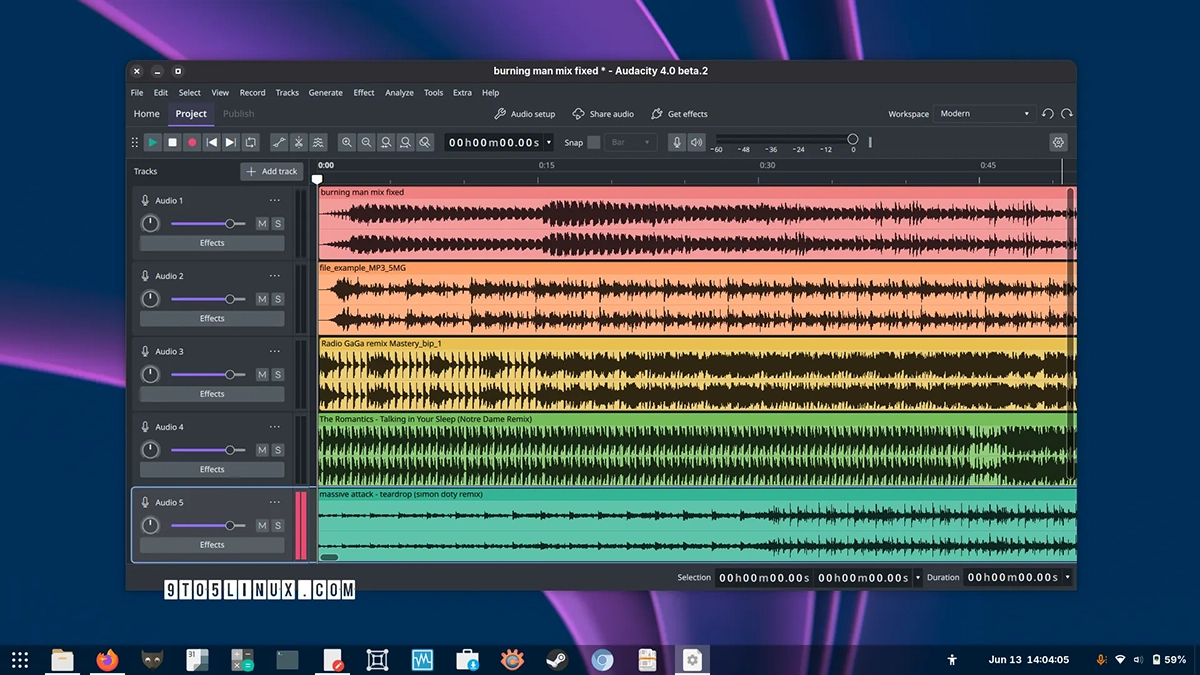
Audacity 4.0 is out. It’s the newest stable build of the open-source audio editor, and the changes go well beyond a coat of paint.
The most visible addition is a new project manager: open something from your local drive or the cloud, start fresh, or pull audio clips in from another project. Plugin support has widened too Nyquist and VST3 now work across Linux, macOS, and Windows, LV2 is in on Linux, and macOS gets Audio Units.
There’s a real list of new editing tools. You can label tracks by marking sections and dropping chapter points, reshape gain with a redesigned envelope tool, and do spectral editing: select a frequency region right in the spectrogram and apply an effect just there.
The interface was rebuilt in Qt with native HiDPI rendering, so it should look sharp on high-res displays. Recording gets a lead-in option, letting you record over a segment without disturbing whatever comes after it. There’s also loop region exporting, alignment guides, a smoother play head, snapping to sample boundaries, and snap settings that can differ per project.
Clip handling picked up a batch of small but useful changes: select clips directly, edit several at once, group them, drag clips between mono and stereo tracks. Paste now figures out more cases on its own, Shift+Enter selects a track range, and toolbars and panels can be moved or docked wherever you want them.
A few more additions round things out. Save your layout as a workspace, pick between light, dark, and high-contrast themes, see volume envelopes in Clip gain mode, and use matching rotary controls across track and effect parameters. Playback can jump to a new position without stopping first.
Recording no longer needs to start at a fixed point begin anywhere on the timeline and it creates a clip right there. Audio Setup lists system-default devices now, track headers show live meters for playback and recording, and the spectrogram has been redone with cleaner rulers and guides plus faster rendering.
Projects use a new .aup4 format, but it reads old Audacity 3 projects fine, so clips, tracks, and labels carry over automatically on upgrade. And the Linux App Image isn’t Ubuntu-only anymore, it’s built to run anywhere now.
For Latest Tech Updates Please follow us :
facebook | twitter | instagram | telegram | whatsapp